
Before July 2017, every Shopify store redirected customers to checkout.shopify.com to complete a purchase. The domain switch sometimes broke analytics sessions, confused security-conscious shoppers, and separated the checkout experience from the store’s brand. Shopify fixed this by hosting checkout directly on each merchant’s own domain, and has since rebuilt the checkout stack around security, speed, and extensibility.
For brands investing in AI visibility analytics, this change has a direct consequence: same-domain checkout makes it significantly easier to capture full-funnel conversion data from AI-referred traffic. When checkout lived on a separate domain, session continuity required careful cross-domain tracking setup and referral exclusion configuration that many stores never completed correctly. Tracing a visitor from an AI bot crawl to a product page view to an add-to-cart to a completed purchase was possible with the right app and analytics configuration, but fragile. Same-domain checkout removes that complexity.
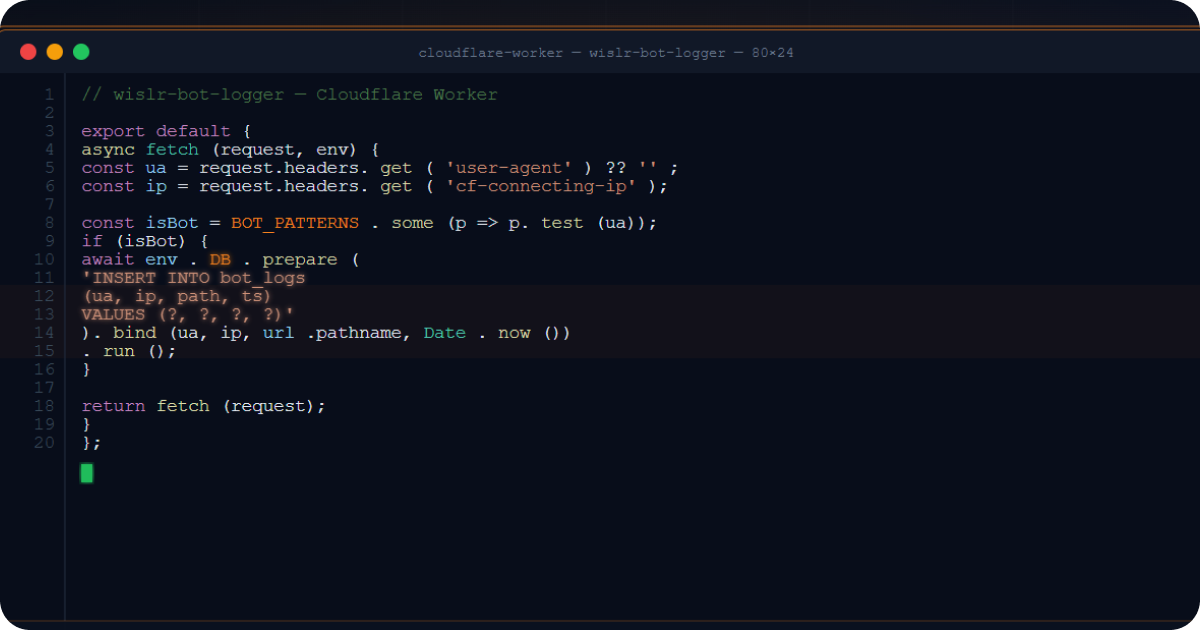
If you’re already capturing AI bot traffic with server-side logging (see our companion guide: Shopify Won’t Give You Log Files. Here’s How to Get Them with Cloudflare), same-domain checkout is the missing piece that lets you close the loop on revenue attribution.
See how AI platforms are driving revenue for your store
View AI Visibility AnalyticsHow Does Same-Domain Checkout Enable AI Revenue Attribution?
This is where same-domain checkout connects directly to AI visibility analytics. If you’ve set up Cloudflare CDN request logging for your Shopify store, you’re already capturing every HTTP request that hits your domain, including AI bot crawls from GPTBot, ClaudeBot, Google-Extended, and others.
With checkout on the same domain, you can build a complete conversion funnel from AI bot visit to purchase:
| Funnel Step | What Happens | What Gets Logged |
|---|---|---|
| 1. AI bot crawls your product page | GPTBot, ClaudeBot, or another crawler fetches content | Bot classification, user agent, IP, URL fetched |
| 2. Human visitor arrives from AI platform | Referrer or UTM parameters identify the traffic source | ChatGPT, Perplexity, or other AI engine as source |
| 3. Visitor adds to cart and enters checkout | Session stays on your domain, first-party cookies persist | Unbroken session continuity through the funnel |
| 4. Purchase completes at yourstore.com/checkouts/cn/…/thank-you | Revenue attribution traces back to the AI platform | Full conversion with source attribution |
Before same-domain checkout, the third step would have broken the session. The visitor would have been redirected to checkout.shopify.com, GA4 would have recorded a new session with checkout.shopify.com as the referrer, and the AI platform that actually drove the sale would have received zero credit.
This is exactly the funnel that powers the WISLR AI Visibility Dashboard. We use server-side tracking to capture every AI bot visit, map it through the conversion funnel, and attribute real revenue back to the AI platform that drove it. Same-domain checkout is what makes the “bot visit to purchase” attribution chain possible on Shopify.
When Did Shopify Move Checkout to Your Domain?
On July 14, 2017, Shopify published “Introducing Store Checkout On Your Own Business Domain,” authored by Richard Btaiche. The announcement was straightforward: “By the end of July, your customers will no longer be directed to checkout.shopify.com to complete their purchase. Instead, their entire shopping experience, from homepage to checkout, will take place on your domain.” The change was free, automatic, and required zero merchant setup. Shopify also began offering free Extended Verification (EV) SSL certificates the same day.
The developer changelog followed on July 20, 2017. Plus merchants received an extended deadline of August 20, 2017, because their checkout.liquid customizations needed additional migration time.
Before the migration, a customer browsing coolshoes.com would click “Buy Now” and land on a Shopify-branded domain with an unfamiliar URL. The store’s branding disappeared, the domain in the browser bar changed, and for security-conscious shoppers on mobile especially, this felt like a red flag.
What Checkout URL Formats Has Shopify Used?
Shopify has changed its checkout URL structure four times. Shopify did not issue public changelog entries for the later path changes; they were discovered and documented by the developer community.
| Period | URL Format | Notes |
|---|---|---|
| Before July 2017 | checkout.shopify.com/{shop-id}/checkouts/{token} |
Separate domain, broke analytics sessions |
| July 2017 - ~2022 | {shop_domain}/{shop.id}/checkouts/{token} |
First same-domain format |
| ~2022 - May 2023 | {shop_domain}/checkouts/c/{hex-token} |
Hex token format |
| May 2023 - present | {shop_domain}/checkouts/cn/{token}/information |
Current format, “cn” likely means “checkout new” |
The current checkout URL progresses through each step:
https://yourstore.com/checkouts/cn/{token}/information
https://yourstore.com/checkouts/cn/{token}/shipping
https://yourstore.com/checkouts/cn/{token}/payment
https://yourstore.com/checkouts/cn/{token}/thank-you
Each token is session-specific and ephemeral. Checkout URLs cannot be freely shared between users, a deliberate security measure that arrived with the /cn/ format. Some tokens include a c1- version prefix; others use Base64-encoded strings containing region identifiers.
Why Did Shopify Rebuild Checkout? Four Pressures Driving the Migration
The domain migration was the visible tip of a deeper strategic shift driven by four converging pressures.
How Many Shoppers Abandon Carts Because of Domain Switches?
Research consistently shows that 17-25% of shoppers abandon carts specifically because they don’t trust a site with their payment information. When checkout lived on checkout.shopify.com, the sudden domain switch amplified that anxiety. Shopify’s own marketing framed the fix clearly: “Seeing your branded domain at checkout, coupled with the free SSL certificate Shopify provides all merchants, will give your customers the confidence they need to tap that buy button.” GRAYBOX, a Shopify partner agency, noted that “going off-domain to checkout might have been somewhat acceptable years ago back in the ‘paying with PayPal’ days but customers have elevated their expectations since then.”
What PCI DSS v4 Requirements Affect Shopify Checkout?
The updated Payment Card Industry standard, enforced from March 31, 2025, introduced Section 6.4.3 requiring anti-skimming protections on payment pages. Previous versions focused on isolating the payment form in an iframe; PCI DSS v4 extends compliance requirements to the parent page itself, meaning any third-party script on a checkout page becomes a liability. Shopify’s architecture now sandboxes all third-party code in iframes and Web Workers, enforces Content Security Policy allowlists, and uses Subresource Integrity verification. For merchants on Shopify, no additional PCI compliance work is required. The platform handles it. Merchants on other platforms face the prospect of client-side protection platforms costing hundreds of dollars monthly.
What Replaced checkout.liquid and When Are the Deadlines?
The old checkout.liquid system allowed merchants to inject arbitrary HTML, CSS, and JavaScript directly into checkout pages. This created fragility: heavy custom scripts slowed checkout, Shopify couldn’t safely roll out features like one-page checkout without risking breakage, and security vulnerabilities multiplied. Shopify needed a managed runtime where it could guarantee performance (up to 40,000 checkout starts per minute per store), ship new features safely, and maintain PCI compliance uniformly.
Shopify announced the deprecation on February 13, 2023. The migration deadlines were:
| Deadline | What Changed |
|---|---|
| August 13, 2024 | In-checkout pages (Information, Shipping, Payment) required Checkout Extensibility |
| August 28, 2025 | Thank You and Order Status pages required Checkout Extensibility |
| January 2026 | Automatic upgrades began, all legacy customizations permanently removed |
| June 30, 2026 | Shopify Scripts (Ruby-based discount/shipping logic) deprecated, replaced by Functions |
Critically, checkout.liquid was incompatible with Shop Pay, Shopify’s accelerated checkout, so merchants using the old system were locked out of significant conversion gains.
How Does Checkout Work on Headless Shopify Storefronts?
When a custom frontend uses Shopify’s Storefront API Cart object, the cart.checkoutUrl field returns a URL like:
https://yourdomain.com/cart/c/{cart_token}?key={secret_key}
This redirects the buyer into Shopify’s hosted web checkout. The key difference from the old Checkout API is fundamental: the Cart API (introduced in 2021) creates and modifies carts programmatically, but checkout completion always happens through Shopify’s hosted interface. You cannot complete a purchase entirely via API; the buyer must pass through the web checkout.
| API | Status | Notes |
|---|---|---|
| Checkout API | Shut down April 1, 2025 | Deprecated with API version 2024-04 |
| Cart API | Active, recommended | No hard throttle, bot protection, stackable discounts, sub-100ms edge responses |
| Checkout Sheet Kit | Active, for mobile apps | Native mobile checkout experience |
How Do Custom Checkout Subdomains Work on Shopify?
Custom checkout subdomains (like checkout.yourbrand.com) are available to merchants who want checkout on a subdomain rather than the root domain. This is common for headless builds where the root domain points to a non-Shopify frontend. Setup requires a CNAME DNS record pointing the subdomain to shops.myshopify.com, followed by connecting the subdomain in Shopify Admin under Settings, then Domains.
Shopify auto-provisions free TLS certificates for all connected domains using three certificate authorities: Let’s Encrypt, Google Trust Services, and SSL.com. Certificates typically provision within minutes (up to 48 hours in edge cases) and auto-renew without merchant intervention. Shopify does not support third-party SSL certificates. Standard plans support up to 20 domains; Plus supports up to 1,000.
Which Checkout Paths Does Shopify Block in robots.txt?
Shopify’s default robots.txt blocks all checkout-related paths from search engine crawling:
| Blocked Path | What It Covers |
|---|---|
/checkouts/ |
All checkout URLs including /checkouts/cn/ |
/checkout |
Base checkout path |
/cart |
Cart pages and /cart/c/ headless checkout entry points |
/carts, /orders, /account |
Other customer-specific paths |
These directives protect crawl budget and prevent session-specific, content-less checkout URLs from polluting search indexes. Shopify has allowed merchants to customize robots.txt via the robots.txt.liquid template since June 2021, though SEO experts uniformly advise against modifying the default checkout-related rules.
Does Same-Domain Checkout Affect Shopify SEO?
The SEO implications of same-domain checkout are real but comparatively modest. Checkout pages are blocked from crawling, excluded from sitemaps, and generate session-specific URLs with no indexable content. Domain authority sees a marginal positive effect, internal links no longer point to a third-party domain, preventing any theoretical authority “leak” to checkout.shopify.com, but since checkout pages were never crawled or indexed regardless of domain, the practical DA impact is negligible. Crawl budget is unaffected because robots.txt directives prevent bots from wasting resources on checkout paths. Hreflang tags are generated only for indexable pages, so international stores see no hreflang-specific impact from the checkout domain change. Shopify SEO consultant Ilana Davis, creator of the JSON-LD for SEO app, strongly advises merchants not to modify default robots.txt rules, noting that blocking these pages “saves crawl budget” since “Google’s crawler won’t find anything at these URLs.”
How Does Same-Domain Checkout Fix GA4 Attribution?
When checkout lived on checkout.shopify.com, GA4 treated the domain switch as a new session. The checkout domain appeared as a top referral source, inflating session counts and breaking conversion funnels. Merchants had to configure cross-domain tracking and add checkout.shopify.com to their referral exclusion list, a setup many stores never completed correctly.
With same-domain checkout, the analytics picture changes completely:
| Before (checkout.shopify.com) | After (same-domain checkout) |
|---|---|
| Domain switch created new GA4 session | Session continuity maintained natively |
| checkout.shopify.com appeared as top referral | No phantom referral source |
| UTM parameters lost at domain boundary | UTM parameters persist through checkout |
| Original traffic source overwritten | Google Ads, email, social get proper credit |
| Cross-domain tracking config required | No cross-domain setup needed |
One technical nuance remains: Simo Ahava, a leading analytics expert, has documented that Shopify’s Checkout Extensibility sandbox still treats some cookies as third-party due to iframe isolation, complicating server-side Google Tag Manager implementations. The workaround involves passing cookie values as client-side event parameters. For most merchants using standard GA4 tracking, however, the same-domain setup works seamlessly. Analytics Mania confirms: “The lack of cross-domain tracking support does not affect your checkout tracking, as both storefront and checkout are on the same domain.”
Need help setting up AI analytics? Chat with an AI Visibility Engineer
Schedule a CallWhat Are Shop Pay’s Actual Conversion Numbers?
Shopify’s headline claim, that Shop Pay delivers 91% higher mobile conversion and 56% higher desktop conversion compared to standard checkout, appears on the official shopify.com/checkout page and across enterprise marketing materials. The comparison is Shop Pay versus guest checkout, not versus other accelerated checkout methods. A separate claim states Shop Pay “converts up to 50% better than guest checkout.” These figures come from Shopify’s internal data; no independent third-party verification exists.
An important caveat: Shop Pay’s user base consists of 100 million+ recognized users with stored payment information who are inherently high-intent, introducing selection bias into any comparison against first-time guest checkout users.
| Metric | Value | Source |
|---|---|---|
| Shop Pay mobile conversion lift vs guest checkout | 91% higher | Shopify internal data |
| Shop Pay desktop conversion lift vs guest checkout | 56% higher | Shopify internal data |
| Global average cart abandonment rate | 70.22% | Baymard Institute, 50 studies |
| Shoppers citing trust concerns for abandonment | 17-25% | Industry research |
| Conversion lift from trusted security badges | 32% increase | Industry research |
| Shop Pay users purchasing on mobile | Over 70% | Shopify data |
| Checkout Extensibility conversion lift vs legacy | Up to 1% higher on average | Shopify claim |
Case studies from merchants who migrated to Checkout Extensibility show meaningful results: KASHBeauty reported a 35% improvement in checkout load time and 18% conversion lift; HikeFootwear saw a 12% increase in average order value after implementing checkout upsells via UI Extensions.
Mobile trust signals are particularly relevant. Over 70% of Shop Pay users purchase on mobile, where cart abandonment rates exceed 80%. The consistent domain throughout the shopping journey, no URL switch, no unfamiliar branding, is especially critical on mobile screens where the address bar is the primary trust signal visible to shoppers.
Which Checkout Extensibility Features Are Available on Each Shopify Plan?
Root domain checkout is the default for every Shopify store across all plans. No setup is required. Every new store automatically hosts checkout at yourstore.com/checkouts/cn/. For most merchants, this default configuration is optimal and should be left unchanged.
If your store was still using checkout.liquid customizations, Additional Scripts, or script tags on Thank You or Order Status pages, those stopped functioning as of August 28, 2025. Shopify began automatic upgrades in January 2026, permanently removing all legacy customizations. Merchants who haven’t migrated should audit their checkout immediately at https://admin.shopify.com/store/[STORE-NAME]/settings/checkout/customizations-rep.
| Component | What It Does | Available On |
|---|---|---|
| Checkout UI Extensions | Custom interface elements (banners, upsells, gift messages, loyalty widgets) at defined checkout points | Full customization: Plus only. Thank You/Order Status: all plans |
| Shopify Functions | Backend logic: custom discounts, shipping rate modifications, payment method filtering, order validation | All plans |
| Checkout Branding API | Advanced visual customization (colors, typography, corner radii, spacing) via GraphQL | Plus only |
| Web Pixels | Conversion tracking across storefront and checkout, replaces Additional Scripts | All plans |
| Checkout Editor | No-code drag-and-drop in Shopify Admin for configuring app blocks | All plans (expanded on Plus) |
Migration complexity depends on existing customization depth. Simple stores can complete migration in one to two weeks; stores with heavy checkout.liquid customizations should budget three to six weeks. With Shopify’s automatic upgrades now in effect since January 2026, any remaining legacy customizations have been permanently removed. The Shopify App Store includes over 860 Extensibility-powered checkout apps covering common use cases like upsells, trust badges, custom fields, and analytics integration, meaning many merchants can replicate their old customizations through app installation rather than custom development.
How to Set Up Full-Funnel AI Analytics on Shopify
If you’re a Shopify merchant, same-domain checkout is already working for you. The infrastructure change is done. What most stores are still missing is the server-side tracking layer that captures AI bot activity and connects it to conversion data.
Here’s the sequence:
- Set up Cloudflare CDN request logging using our complete technical guide to capture every HTTP request including AI bot crawls
- Review your AI Visibility Dashboard with the WISLR AI Visibility Analytics to see which AI platforms are crawling your content, which pages they prioritize, and how that activity converts into sessions, add-to-carts, and purchases
- Confirm your Checkout Extensibility migration is complete — the legacy checkout.liquid deprecation took effect August 28, 2025 and automatic upgrades began January 2026, so verify your Web Pixel tracking captures the full funnel
Shopify’s checkout domain migration was never just about changing a URL. It was a multi-year platform transformation that touched security architecture (PCI DSS v4 sandboxing), developer ecosystem (Checkout Extensibility replacing checkout.liquid), API strategy (Cart API replacing Checkout API), and merchant analytics (eliminating cross-domain tracking breakage). The technical SEO impact is deliberately minimal. Shopify’s robots.txt and session-specific URLs ensure checkout pages never touch search indexes. The analytics impact is significant: session continuity, proper attribution, and first-party cookie persistence across the entire purchase funnel.
For brands building AI visibility strategies, this is the infrastructure foundation that makes full-funnel attribution possible. The checkout is on your domain. The logs are capturable. The funnel is complete.
Frequently Asked Questions
Does Shopify checkout still use checkout.shopify.com?
No. Shopify moved checkout to each merchant’s own domain in July 2017. All Shopify stores now host checkout at their root domain (e.g. yourstore.com/checkouts/cn/{token}). No setup is required. The change was automatic and free across all plans.
What is the current Shopify checkout URL format?
As of 2026, Shopify uses the /checkouts/cn/{token}/ format. A typical checkout URL looks like yourstore.com/checkouts/cn/{token}/information, progressing through /shipping, /payment, and /thank-you. The “cn” prefix stands for “checkout new” and represents Shopify’s rebuilt checkout infrastructure.
How does same-domain checkout affect GA4 tracking on Shopify?
Same-domain checkout eliminates the cross-domain tracking problems that existed when checkout lived on checkout.shopify.com. GA4 now maintains session continuity natively. UTM parameters persist through checkout. The original traffic source receives proper conversion credit. No cross-domain tracking configuration is needed.
Can you track AI bot traffic through Shopify’s checkout funnel?
Yes, but only with server-side logging. AI bots do not execute JavaScript, so they are invisible to GA4 and Shopify Analytics. By setting up CDN-level request logging (such as a Cloudflare Worker pipeline), you can capture AI bot crawls and then trace human visitors from AI platforms through the full checkout funnel because the session stays on your domain.
When is the checkout.liquid deprecation deadline?
The Thank You and Order Status page deadline was August 28, 2025. Automatic upgrades began in January 2026, permanently removing all legacy checkout.liquid customizations. In-checkout page customizations (Information, Shipping, Payment) required migration by August 13, 2024. All of these deadlines have now passed — if your store hasn’t migrated, Shopify has already applied automatic upgrades.
How many URL redirects does Shopify support for checkout domains?
Shopify does not use URL redirects for the checkout migration. Same-domain checkout is built into the platform infrastructure. Standard plans support up to 20 connected domains; Shopify Plus supports up to 1,000. Shopify auto-provisions free TLS certificates for all connected domains using Let’s Encrypt, Google Trust Services, and SSL.com.
What is the difference between Shopify’s Cart API and Checkout API?
The legacy Checkout API was fully shut down on April 1, 2025. It has been replaced by the Cart API, which creates and modifies carts programmatically but requires the buyer to complete checkout through Shopify’s hosted web interface. The Cart API offers no hard throttle, built-in bot protection, stackable discount codes, subscription and bundle support, and sub-100ms edge-deployed responses.
Does Shopify’s same-domain checkout work with headless storefronts?
Yes. Headless storefronts use the Cart API, which returns a checkout URL on the merchant’s domain (or a configured checkout subdomain). The checkout experience is still hosted by Shopify, but the URL stays on your brand’s domain. Custom checkout subdomains like checkout.yourbrand.com are available via CNAME DNS configuration.
What undocumented checkout URL changes has Shopify made?
Shopify has changed the checkout URL path structure at least three times since the 2017 domain migration (from /{shop.id}/checkouts/ to /checkouts/c/ to /checkouts/cn/) without issuing public changelog entries. These changes were discovered and documented by the developer community. The current /checkouts/cn/ format uses session-specific tokens that cannot be shared between users.